
What's new
v1.0.4
 After a word comes up 50 times, the grade buttons speak the language you are learning
 Softer tones for a right and a wrong answer
 Grammar lessons put ser and estar side by side, show who says each form, and have you build a sentence with each
v0.9.11
 Type a word right and the card shows the answer, then moves on by itself — nothing to press
v0.9.10
 The example sentences now agree with you too: say you are a woman and a card reads «Muito obrigada», not «obrigado»
v0.9.9
 Unlock an achievement mid-lesson and a card slides in to celebrate it — the lesson results list every one you earned
- Conversations show a photo of the place and a face for each speaker
 Tap the flame at the top to see your streak, today's goal, your freezes and whether reminders are on
- Tell the app whether to speak to you as a man, as a woman or neither — the study buttons follow your choice
v0.9.8
 Finished today's plan? Keep going — study continues with extra practice of your words for as long as you like
- Your streak follows your own time zone, counts a day once you reach the daily goal, and earns freezes that save it on a missed day
 Turn on streak reminders in Settings and get a nudge two hours before your day ends if you haven't studied yet
- Words you already know now ask you to type them in the language you're learning, and a missing accent still counts
v0.9.7
- Set how loud words and sounds play in Settings — on a computer, also from the speaker in the corner of every lesson screen
v0.9.6
- Beginner lessons are gentler: one missing word to fill, shorter example sentences and fewer words per exercise
 Grammar lessons now explain the rule and translate the examples in your own language
v0.9.5
- Two speakers of the same gender in a conversation now sound different
 Finishing a lesson now shows the words you learned, with sound and confetti
v0.9.4
- Words you already know now ask you to type the meaning before the answer is shown
- A wrong answer now tells you why, and you fix it yourself before moving on
- Conversations are now twice as long, and each speaker has their own voice
- Your streak now burns in the top bar, and achievements show the next goal to reach
v0.9.3
- The level check now shows whether each answer was right and ends with your score and level
- Typed and spoken answers now count a correct synonym, not only the exact word
 Spot a mistake in the level check or the word-matching game? Tap the flag to report it
v0.8.9
 Places now stretch across many more lessons instead of finishing in one sitting
v0.8.7
 Every circle on a place's path is now one sitting of the same length — no more ten-minute circle next to a forty-second one
- A place now has several different conversations instead of replaying one
 The word-matching step now uses the words you have been learning in that place
v0.8.6
- Reviews now start with the words from the place you opened, before the rest of what is due
v0.8.4
- Tap any word inside an example sentence — it goes straight into your reviews
- Once you know a word, the answer buttons switch to the language you are learning
v0.8.3
- Spotted a wrong card? You can now report it from any exercise, not just the flashcards
- Numbers you say out loud are graded properly now
 Stuck on a word in the level check? Skip it and move on
v0.8.2
 On a laptop, Home, Learn, Progress and Profile now sit in the top bar instead of a floating pill over the page.
- On a tablet, Langie now fills the screen and the Home, Learn and Progress bar is back at the bottom.
 You can keep studying with no connection. Your answers are saved on your device and added to your progress when you are back online.
- Your words now come back for review even when you are not signed in. Create an account to carry them to your other devices.
 Reloading the page in the middle of a lesson no longer restarts it — you continue from where you stopped.
v0.8.1
 The emails Langie sends — confirm your address, reset your password — now look like Langie instead of plain text.
 Those emails now arrive in your own language, not only in English.
v0.7.3
 A new page shows how Langie compares with other language apps, line by line.
 The theme switch now has three settings: light, dark, or the same as your system.
 Settings are grouped into sections, and every change is saved as you make it.
v0.6.36
- Reviews are always free. You can practise words you already started as much as you want.
 Free accounts get 4 lessons a day. New here? You get 6 a day for your first three days.
 Want to go faster? A paid plan removes the daily limit on lessons.
v0.6.34
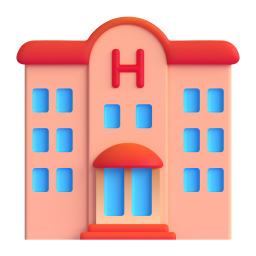 Six new places to learn: the train station, the hotel, the restaurant, the bank, the university and the courthouse.
 The town map was redrawn — calmer streets, a railway running right through it, and place names that fit on small phones.
- Words that were added automatically now carry the right level, so a beginner no longer meets an advanced word.
v0.6.32
- The map is now a painted town — every place sits on its own building, and it fills the whole screen.
- Tapping a word in a sentence now explains that word, not the one next to it.
- Grammar tips highlight the forms they are talking about.
- The back arrow in a lesson returns to the place you came from.
v0.6.30
- Fill-in-the-blanks now shows the full answer — tap any word to see what it means.
v0.6.29
- The card now fades between the word and its translation instead of flipping.
v0.6.28
 Word cards now show the picture behind the whole card, front and back.
- The card no longer jumps when the answer buttons appear.
v0.6.26
- Your progress stays where you left it — places, streaks and the circles you have filled no longer reset.
- Grammar tips are now written for the language you are learning, instead of explaining English.
- The conversation in a lesson now appears in your language even after a busy session.
 Signed in with Google? You can now set a password and use that too.
v0.6.24
- Stars on a place now show how much of it you still remember a week later, not how many rounds you played there.
- Your stars may look different because of this — they can be earned back, and they no longer fill up in one sitting.
- A card you just missed no longer comes back immediately, and your level is kept when you reload during setup.
v0.6.23
 Updating the Android app now works: the update actually installs, and the app stops asking when it is already up to date.
v0.6.20
- More vocabulary cards now come with a photo of the word.
- You can now report a photo that doesn't fit the word — or add a comment without picking a category.
v0.6.16
- The Android app now tells you when a new version is ready, and updates with one tap.
v0.6.14
 Long-pressing a word no longer pops the system copy bar over the card.
v0.6.13
 Every flashcard comes with a photo again.
- The app now opens in your system's light or dark theme instead of always starting light.
- Long language names no longer overlap in the language picker.